Powerful processor driving the Next-Gen AI PC Experience a new level of transformative AI performance on Galaxy Book5 Pro 14" with the super-fast Intel® Core™ Ultra processor (Series 2), upgraded graphics and an advanced NPU capable of up to 47 TOPS. Harness all that power to blaze through heavy workloads, render complex 3D models and easily complete AI-intensive tasks with incredible speed.
Stay powered up with a long-lasting battery Charge once to stay productive with the long-lasting battery of Galaxy Book5 Pro 14", supporting up to 21 hours of video runtime. To power up, plug in the compact charger to get up to 41% in just about 30 minutes using fast charging.
Amp it up with quad speakers Boost your viewing experience with the rich and deep audio of the quad-speaker system on Galaxy Book5 Pro 14". The four speakers are tuned with Dolby Atmos surround sound, so you feel fully immersed.
Brighten up video calls with Staggered HDR Jump into online meetings confidently with Staggered HDR. Your webcam video stays crisp and vivid with a wide dynamic range, so you are camera-ready for calls in the office or on the go.
Smarter touchpad. Dongle-free ports Navigate easily using the touchpad with adaptive palm rejection — control your taps with precision thanks to palm monitoring on the subdivided palm area, reducing the chance of accidental touches. Plus, connect devices to your workstation using the two built-in Thunderbolt 4 ports, HDMI, USB-A, microSD card slot and Headphone/Mic.
Wi-Fi 7. Full speed ahead Go online, stay online — Wi-Fi 7 is up to 4.8x faster than Wi-Fi 6, letting you connect reliably with lightning speed. Join online meetings, share updates and stay in touch easily with smooth real-time interactions and ultra-low latency.
Samsung Knox. Pro security Safeguard your system with premium security from Samsung Knox. A dedicated security chip in the hardware is designed to shield you device in real time. Protected all around, your laptop's critical system data can stay safe from potential threats and breaches.
Seamlessly pair and control Galaxy devices Nearby devices lets you connect and operate your Galaxy devices in an instant. Open the menu on Galaxy Book5 Pro 360 to link devices with a simple drag-and-drop, then launch intuitive features such as Multi Control and Storage Share between your phone, PC and Tab all from one connectivity hub.
Storage Share. Explore files across devices With Storage Share, enjoy the freedom of using the storage on your phone and PC as one. Browse photos and play videos stored on your phone, edit mobile content and import it in your projects directly on your PC — no file downloading required.
From first draft to fine art Need a custom image for a presentation? Use Cocreator in Paint — sketch your idea and watch as AI transforms it into artwork. Edit, regenerate and apply finishing touches using simple prompts.
Go global with real-time translations Catch every word in conference calls with Live Captions. AI automatically detects speech in meetings and video streams and converts it into English captions in real time, helping you to stay in the know.
Launch AI with one press A single press is all it takes to launch Copilot — the dedicated key on the keyboard of Galaxy Book5 Pro puts personalised AI assistance at your fingertips for instant access when you need it.
Dynamic AMOLED 2X. Vivid visuals come to life From detailed presentations to vibrant content, it all looks captivating on the high-resolution Dynamic AMOLED 2X display. With vivid colours, smooth motion and reduced blue light emission for eye comfort, this brilliant screen is a sight to behold.
Dazzling views at any angle Take in all the details on the anti-reflective screen thanks to Corning® Gorilla® Glass with DX. The surface treated cover glass with less than 2% reflectance decreases the amount of unwanted surface reflection, helping visuals to remain crisp and legible from a variety of angles.
Control at your fingertips Galaxy Book5 Pro's touchscreen puts control at your fingertips. Navigate through apps and menus, edit content, fine-tune project details and more using intuitive multi-touch gestures that enhance productivity and creativity at every touch.
Vision Booster. Look on the bright side See your content clearly even in the bright outdoors with Vision Booster. An intelligent algorithm uses tone mapping to adjust the contrast and colours depending on the light conditions, so your views stay vivid in various environments.
Quick Share. Swift, safe transfers Sharing pics, docs and massive files between Samsung Galaxy devices is a breeze with Quick Share. Connect devices via direct wireless pairing for instant transfers, even if it's something sensitive — the private sharing feature encrypts your data with blockchain technology for safekeeping.
Multiple devices, unified control With Multi Control, multitask seamlessly across Samsung devices using your PC's keyboard with a mouse. Navigate through menus, access files and data, copy and paste content easily between your laptop and your smartphone, Galaxy Tab, Samsung TV or Smart monitor.
Bring along your Tab as a Second Screen Double your workspace by connecting Galaxy Tab as an additional display to your PC. Link the devices with just a click on your laptop, then take advantage of the extra space on Galaxy Tab with Extension, Duplicate and Rotation modes to rearrange your view.
Access your mobile world on PC Connect your smartphone to your PC via Phone Link to access recently viewed webpages or launch up to 5 mobile apps right from your laptop. Use smart AI features from your Galaxy smartphone and get an expanded view on the big screen of Galaxy Book5 Pro.
Experience a new level of transformative AI performance on Galaxy Book5 Pro 14" with the super-fast Intel® Core™ Ultra processor (Series 2), upgraded graphics and an advanced NPU capable of up to 47 TOPS. Harness all that power to blaze through heavy workloads, render complex 3D models and easily complete AI-intensive tasks with incredible speed.
Stay powered up with a long-lasting battery
Charge once to stay productive with the long-lasting battery of Galaxy Book5 Pro 14", supporting up to 21 hours of video runtime. To power up, plug in the compact charger to get up to 41% in just about 30 minutes using fast charging.
Amp it up with quad speakers
Boost your viewing experience with the rich and deep audio of the quad-speaker system on Galaxy Book5 Pro 14". The four speakers are tuned with Dolby Atmos surround sound, so you feel fully immersed.
Brighten up video calls with Staggered HDR
Jump into online meetings confidently with Staggered HDR. Your webcam video stays crisp and vivid with a wide dynamic range, so you are camera-ready for calls in the office or on the go.
Smarter touchpad. Dongle-free ports
Navigate easily using the touchpad with adaptive palm rejection — control your taps with precision thanks to palm monitoring on the subdivided palm area, reducing the chance of accidental touches. Plus, connect devices to your workstation using the two built-in Thunderbolt 4 ports, HDMI, USB-A, microSD card slot and Headphone/Mic.
Wi-Fi 7. Full speed ahead
Go online, stay online — Wi-Fi 7 is up to 4.8x faster than Wi-Fi 6, letting you connect reliably with lightning speed. Join online meetings, share updates and stay in touch easily with smooth real-time interactions and ultra-low latency.
Samsung Knox. Pro security
Safeguard your system with premium security from Samsung Knox. A dedicated security chip in the hardware is designed to shield you device in real time. Protected all around, your laptop's critical system data can stay safe from potential threats and breaches.
Seamlessly pair and control Galaxy devices
Nearby devices lets you connect and operate your Galaxy devices in an instant. Open the menu on Galaxy Book5 Pro 360 to link devices with a simple drag-and-drop, then launch intuitive features such as Multi Control and Storage Share between your phone, PC and Tab all from one connectivity hub.
Storage Share. Explore files across devices
With Storage Share, enjoy the freedom of using the storage on your phone and PC as one. Browse photos and play videos stored on your phone, edit mobile content and import it in your projects directly on your PC — no file downloading required.
From first draft to fine art
Need a custom image for a presentation? Use Cocreator in Paint — sketch your idea and watch as AI transforms it into artwork. Edit, regenerate and apply finishing touches using simple prompts.
Go global with real-time translations
Catch every word in conference calls with Live Captions. AI automatically detects speech in meetings and video streams and converts it into English captions in real time, helping you to stay in the know.
Launch AI with one press
A single press is all it takes to launch Copilot — the dedicated key on the keyboard of Galaxy Book5 Pro puts personalised AI assistance at your fingertips for instant access when you need it.
Dynamic AMOLED 2X. Vivid visuals come to life
From detailed presentations to vibrant content, it all looks captivating on the high-resolution Dynamic AMOLED 2X display. With vivid colours, smooth motion and reduced blue light emission for eye comfort, this brilliant screen is a sight to behold.
Dazzling views at any angle
Take in all the details on the anti-reflective screen thanks to Corning® Gorilla® Glass with DX. The surface treated cover glass with less than 2% reflectance decreases the amount of unwanted surface reflection, helping visuals to remain crisp and legible from a variety of angles.
Control at your fingertips
Galaxy Book5 Pro's touchscreen puts control at your fingertips. Navigate through apps and menus, edit content, fine-tune project details and more using intuitive multi-touch gestures that enhance productivity and creativity at every touch.
Vision Booster. Look on the bright side
See your content clearly even in the bright outdoors with Vision Booster. An intelligent algorithm uses tone mapping to adjust the contrast and colours depending on the light conditions, so your views stay vivid in various environments.
Quick Share. Swift, safe transfers
Sharing pics, docs and massive files between Samsung Galaxy devices is a breeze with Quick Share. Connect devices via direct wireless pairing for instant transfers, even if it's something sensitive — the private sharing feature encrypts your data with blockchain technology for safekeeping.
Multiple devices, unified control
With Multi Control, multitask seamlessly across Samsung devices using your PC's keyboard with a mouse. Navigate through menus, access files and data, copy and paste content easily between your laptop and your smartphone, Galaxy Tab, Samsung TV or Smart monitor.
Bring along your Tab as a Second Screen
Double your workspace by connecting Galaxy Tab as an additional display to your PC. Link the devices with just a click on your laptop, then take advantage of the extra space on Galaxy Tab with Extension, Duplicate and Rotation modes to rearrange your view.
Access your mobile world on PC
Connect your smartphone to your PC via Phone Link to access recently viewed webpages or launch up to 5 mobile apps right from your laptop. Use smart AI features from your Galaxy smartphone and get an expanded view on the big screen of Galaxy Book5 Pro.
The repairability index consists of a score out of ten intended to be displayed at the time of purchase to inform consumers of the categories of electrical and electronic products. This score is obtained by dividing an overall score of one hundred points by ten according to five criteria, each scored out of twenty and of equal weight, making it possible to assess the repairability of the products concerned.
New AI experiences, performance, and battery that lasts.
Created for premium laptops, Intel® Core™ Ultra processors include built-in AI acceleration to boost productivity while maintaining privacy and flexibility. Intel® Core™ Ultra processors may include Intel® Arc™ GPU for immersive, high-realism gaming and content creation. An optimal balance of power and performance means you’ll be able to stay productive longer while unplugged.
A new AI era begins The fastest, most intelligent Windows PCs ever. Explore Copilot+ PCs, a new class of AI PCs and laptops.
DIRECTIVE (EU) 2022/2380 OF THE EUROPEAN PARLIAMENT AND OF THE COUNCIL of 23 November 2022 (Part III)
Technical Specification
Design
Product type
Laptop
Product colour
Grey
Form factor
Clamshell
Display
Display diagonal
35.6 cm (14")
Display resolution
2880 x 1800 pixels
Touchscreen
Yes
HD type
WQXGA+
Panel type
AMOLED
Display technology marketing name
Dynamic AMOLED 2X
Native aspect ratio
16:10
Anti-reflective coating
Yes
Display brightness
400 cd/m²
Maximum display brightness (HDR)
500 cd/m²
RGB colour space
DCI-P3
Maximum refresh rate
120 Hz
High Dynamic Range (HDR) supported
Yes
High Dynamic Range (HDR) technology
High Dynamic Range (HDR) 500
Processor
Processor manufacturer
Intel
Processor family
Intel Core Ultra 5
Processor generation
Intel Core Ultra (Series 2)
Processor model
226V
Processor boost frequency
4.5 GHz
Processor cache
8 MB
Processor cache type
Last Level Cache
Neural processor unit (NPU)
Copilot+ PC
Yes
Neural processor unit (NPU)
Intel AI Boost
Memory
Internal memory
16 GB
Internal memory type
LPDDR5x-SDRAM
Memory form factor
On-package
Storage
Total storage capacity
256 GB
Storage media
SSD
Total SSDs capacity
256 GB
Number of SSDs installed
1
SSD capacity
256 GB
NVMe
Yes
Optical drive type
No
Card reader integrated
Yes
Compatible memory cards
MicroSD (TransFlash), MicroSDHC, MicroSDXC
Graphics
On-board graphics card
Yes
Discrete graphics card
No
Discrete graphics card model
Not available
On-board GPU manufacturer
Intel
On-board graphics card family
Intel Arc Graphics
On-board graphics card model
Intel Arc Graphics 130V
On-board graphics card memory
8 GB
Audio
Audio system
Dolby Atmos
Number of built-in speakers
4
Built-in microphone
Yes
Number of microphones
2
Camera
Front camera
Yes
Front camera resolution (numeric)
2 MP
Front camera resolution
1920 x 1080 pixels
Front camera HD type
Full HD
Network
Mobile network connection
No
Top Wi-Fi standard
Wi-Fi 7 (802.11be)
Antenna type
2x2
Bluetooth
Yes
Bluetooth version
5.4
Ports & interfaces
USB 2.0 ports quantity
0
USB 3.2 Gen 1 (3.1 Gen 1) Type-A ports quantity
0
USB 3.2 Gen 1 (3.1 Gen 1) Type-C ports quantity
0
USB 3.2 Gen 2 (3.1 Gen 2) Type-A ports quantity
1
HDMI ports quantity
1
HDMI version
2.1
Thunderbolt 4 ports quantity
2
Intel® Thunderbolt 4
Yes
Combo headphone/mic port
Yes
Performance
Ambient light sensor
Yes
Repairability index
8.7
Keyboard
Pointing device
Clickpad
Keyboard backlit
Yes
Numeric keypad
No
Keyboard layout
QWERTY
Keyboard language
UK English
Software
Operating system installed
Windows 11 Pro
Pre-installed software
Galaxy Book Experience, Multi Control, Second Screen, Samsung Notes, Samsung Gallery, Quick Share, Samsung Account, Samsung Settings, AI Select, SmartThings, Quick Search, Samsung Device Care, Screen Recorder, Live Wallpaper, Bixby, Samsung Find, Samsung Flow, Samsung Studio, Phone, Galaxy Book Smart Switch, Samsung Pass
Bundled software
Galaxy Book Experience Multi Control Second Screen Samsung Notes Samsung Gallery Quick Share Samsung Account Samsung Settings AI Select SmartThings Quick Search Samsung Device Care Screen Recorder Live Wallpaper Bixby Samsung Find Samsung Flow Samsung Studio Phone Galaxy Book Smart Switch Samsung Pass ? Software can be changed without notice.
Battery
Battery capacity
63.1 Wh
Battery life (max)
21 h
Power
AC adapter power
65 W
AC adapter frequency
50 - 60 Hz
AC adapter input voltage
100 - 240 V
USB Type-C charging port
Yes
Security
Fingerprint reader
Yes
Trusted Platform Module (TPM)
Yes
Operational conditions
Operating temperature (T-T)
10 - 35 °C
Storage temperature (T-T)
-5 - 40 °C
Operating relative humidity (H-H)
20 - 80%
Storage relative humidity (H-H)
5 - 90%
Weight & dimensions
Weight
1.23 kg
Width
312.3 mm
Depth
223.8 mm
Height
11.6 mm
Packaging content
AC adapter included
Yes
Cables included
USB Type-C
Other features
Comments
* Actual speed of USB can vary depending on user environment * Weights and height vary depending on manufacturing process * Please contact Samsung Call Center or Samsung Authorized Service Centers before you replace or add storage and memory for compatibility check * Typical value of battery capacity tested under third-party laboratory condition. Typical value is the estimated average value considering the deviation in battery capacity among the battery samples tested under IEC 61960 standard. Rated (minimum) capacity is 62.2 Wh. Actual battery life may vary depending on network environment, usage patterns and other factors. * Screen size is measured diagonally as a full rectangle without accounting for the rounded corners. Actual viewable area is less due to the rounded corners.




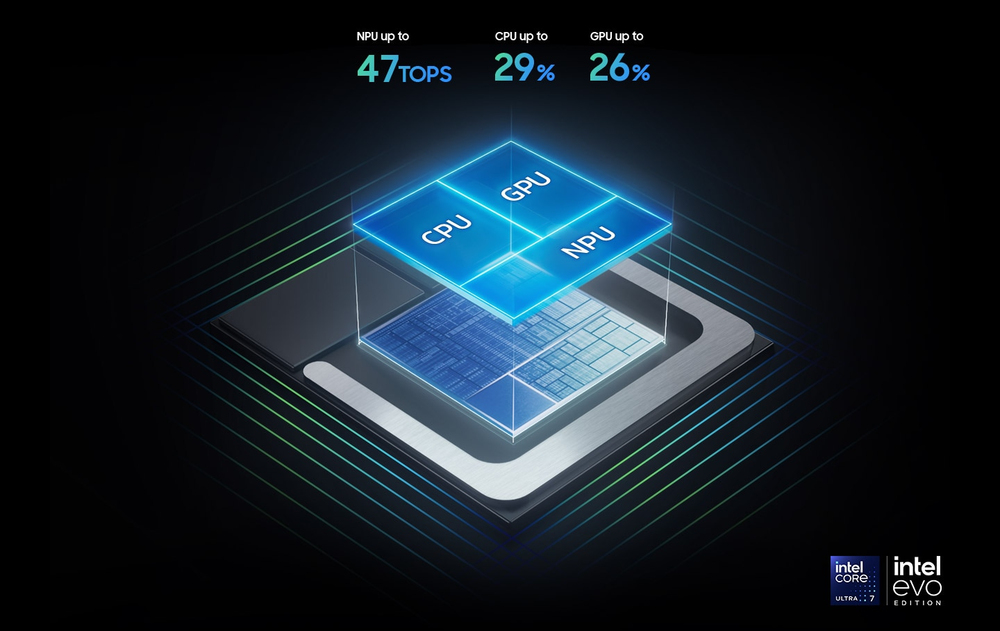 Experience a new level of transformative AI performance on Galaxy Book5 Pro 14" with the super-fast Intel® Core™ Ultra processor (Series 2), upgraded graphics and an advanced NPU capable of up to 47 TOPS. Harness all that power to blaze through heavy workloads, render complex 3D models and easily complete AI-intensive tasks with incredible speed.
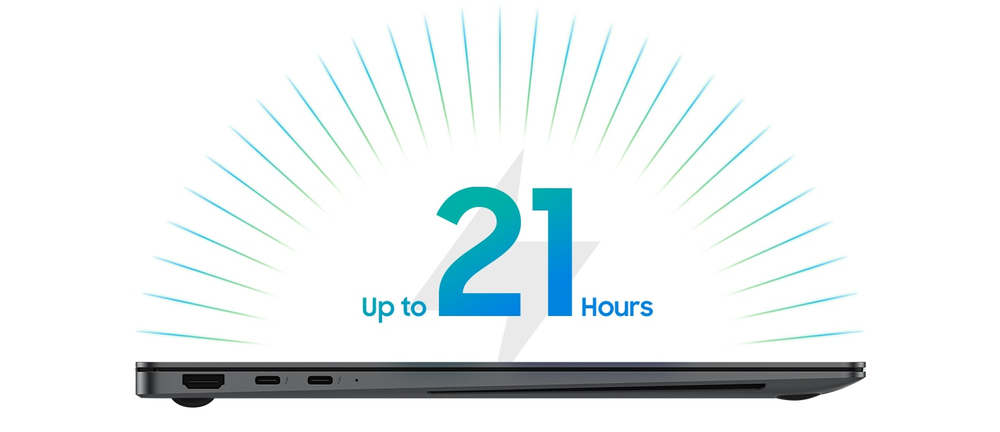 Charge once to stay productive with the long-lasting battery of Galaxy Book5 Pro 14", supporting up to 21 hours of video runtime. To power up, plug in the compact charger to get up to 41% in just about 30 minutes using fast charging.
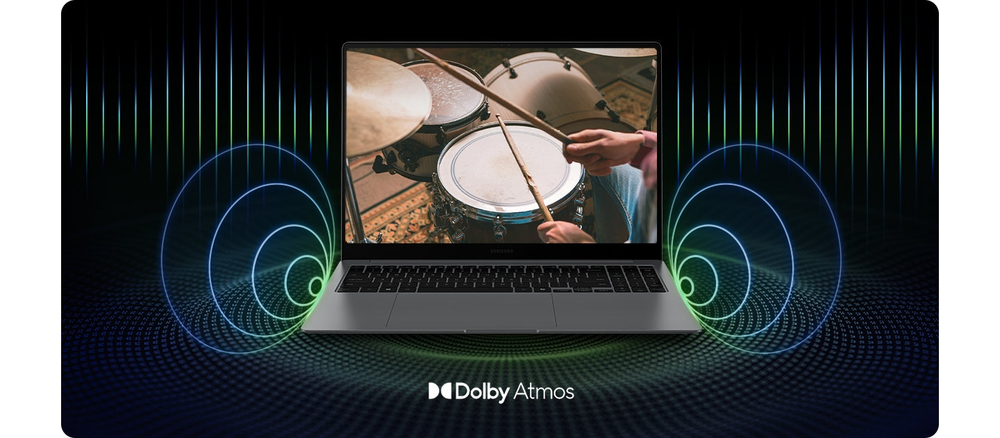 Boost your viewing experience with the rich and deep audio of the quad-speaker system on Galaxy Book5 Pro 14". The four speakers are tuned with Dolby Atmos surround sound, so you feel fully immersed.
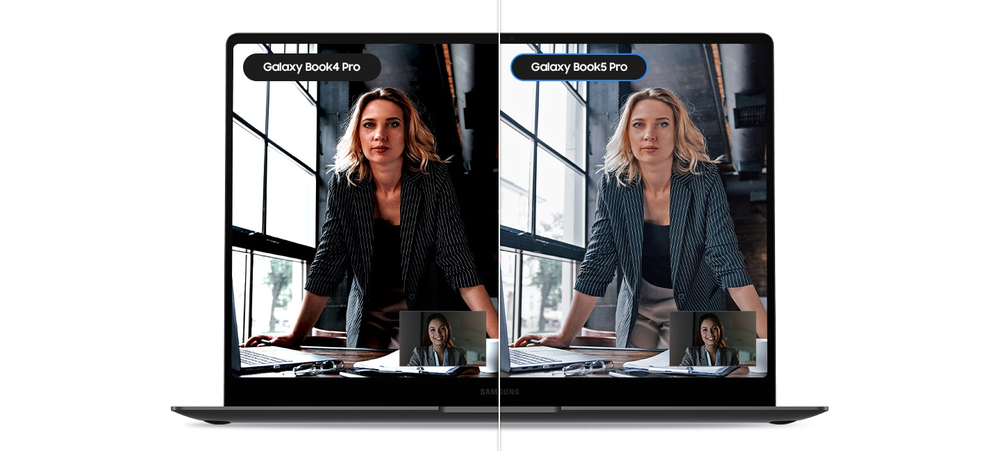 Jump into online meetings confidently with Staggered HDR. Your webcam video stays crisp and vivid with a wide dynamic range, so you are camera-ready for calls in the office or on the go.
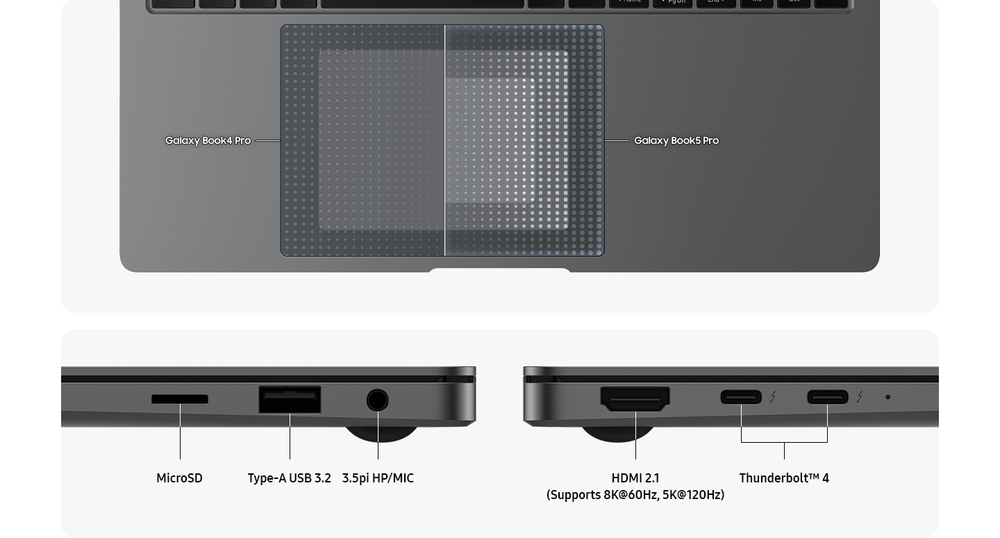 Navigate easily using the touchpad with adaptive palm rejection — control your taps with precision thanks to palm monitoring on the subdivided palm area, reducing the chance of accidental touches. Plus, connect devices to your workstation using the two built-in Thunderbolt 4 ports, HDMI, USB-A, microSD card slot and Headphone/Mic.
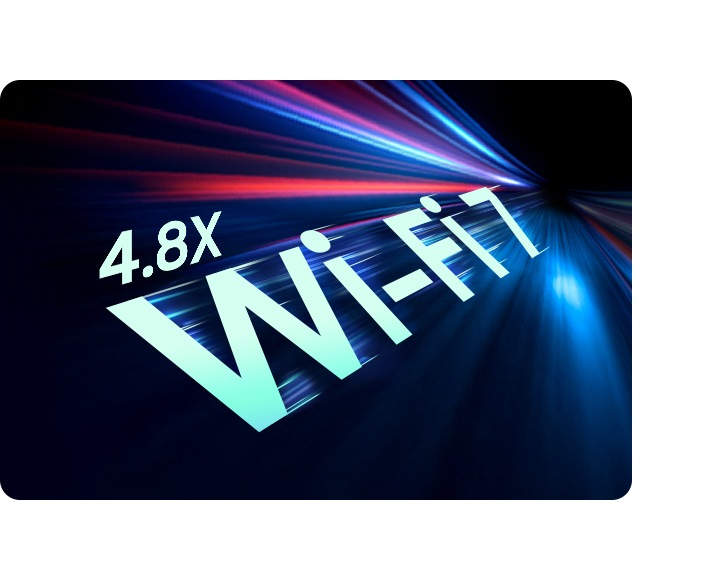 Go online, stay online — Wi-Fi 7 is up to 4.8x faster than Wi-Fi 6, letting you connect reliably with lightning speed. Join online meetings, share updates and stay in touch easily with smooth real-time interactions and ultra-low latency.
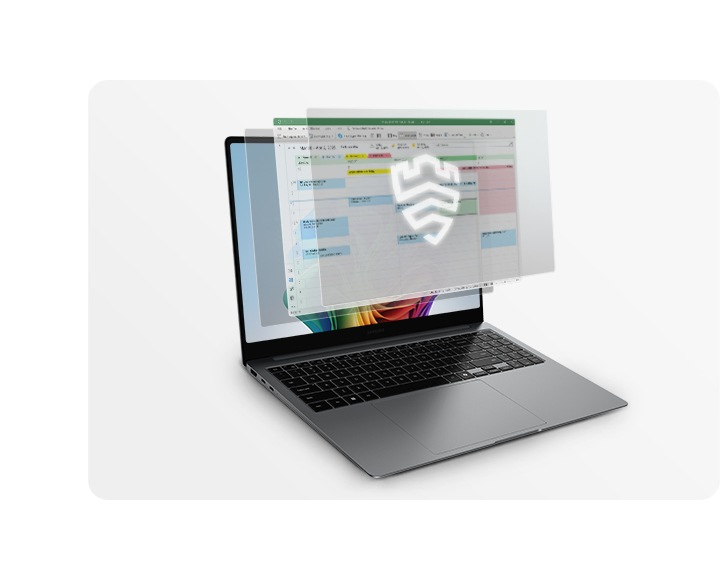 Safeguard your system with premium security from Samsung Knox. A dedicated security chip in the hardware is designed to shield you device in real time. Protected all around, your laptop's critical system data can stay safe from potential threats and breaches.
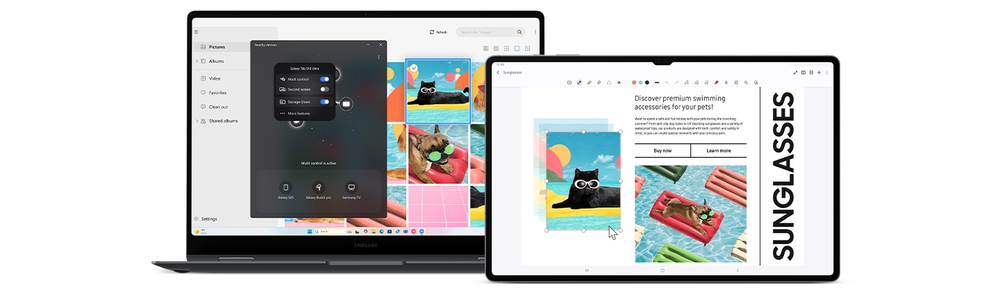 Nearby devices lets you connect and operate your Galaxy devices in an instant. Open the menu on Galaxy Book5 Pro 360 to link devices with a simple drag-and-drop, then launch intuitive features such as Multi Control and Storage Share between your phone, PC and Tab all from one connectivity hub.
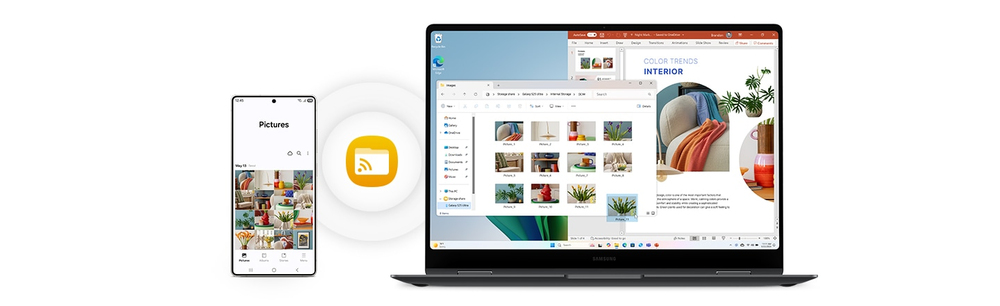 With Storage Share, enjoy the freedom of using the storage on your phone and PC as one. Browse photos and play videos stored on your phone, edit mobile content and import it in your projects directly on your PC — no file downloading required.
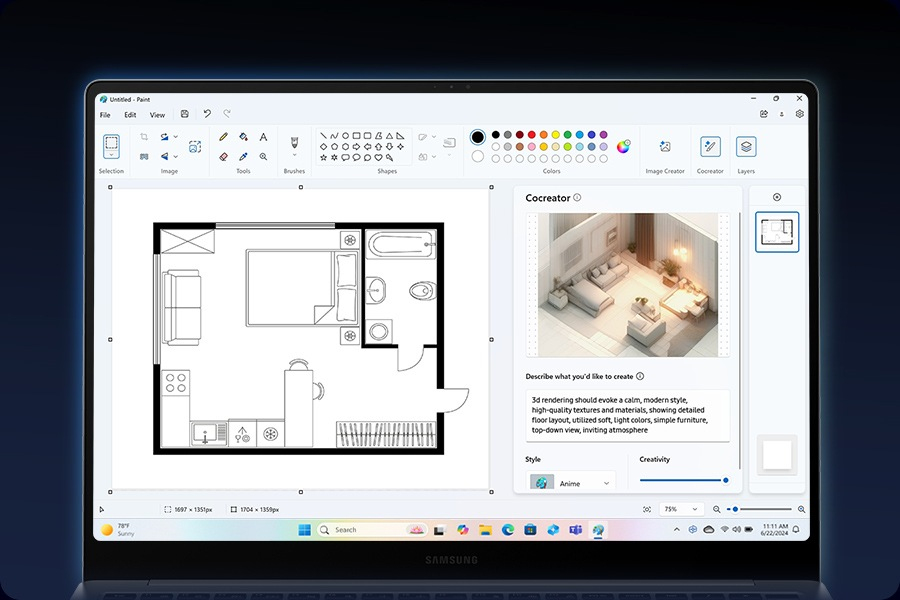 Need a custom image for a presentation? Use Cocreator in Paint — sketch your idea and watch as AI transforms it into artwork. Edit, regenerate and apply finishing touches using simple prompts.
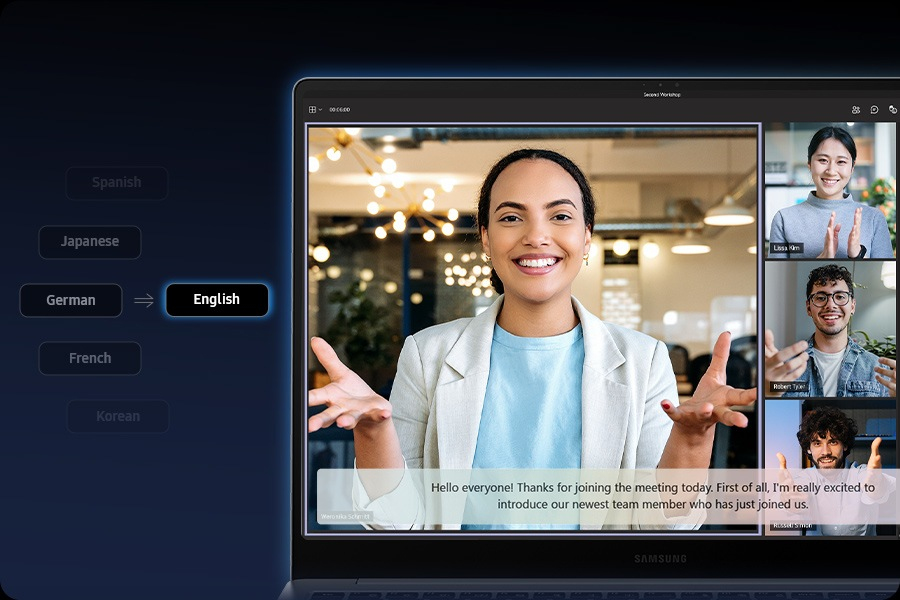 Catch every word in conference calls with Live Captions. AI automatically detects speech in meetings and video streams and converts it into English captions in real time, helping you to stay in the know.
 A single press is all it takes to launch Copilot — the dedicated key on the keyboard of Galaxy Book5 Pro puts personalised AI assistance at your fingertips for instant access when you need it.
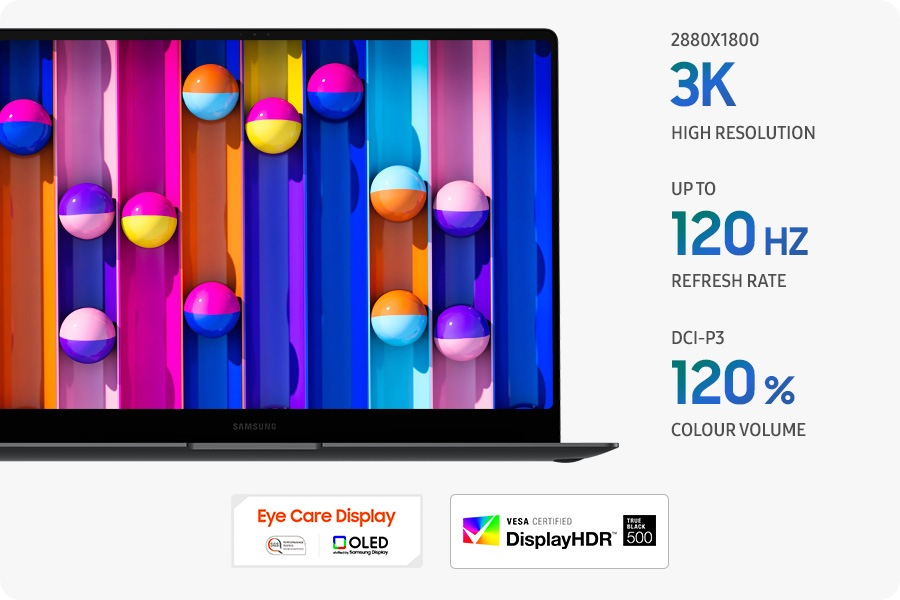 From detailed presentations to vibrant content, it all looks captivating on the high-resolution Dynamic AMOLED 2X display. With vivid colours, smooth motion and reduced blue light emission for eye comfort, this brilliant screen is a sight to behold.
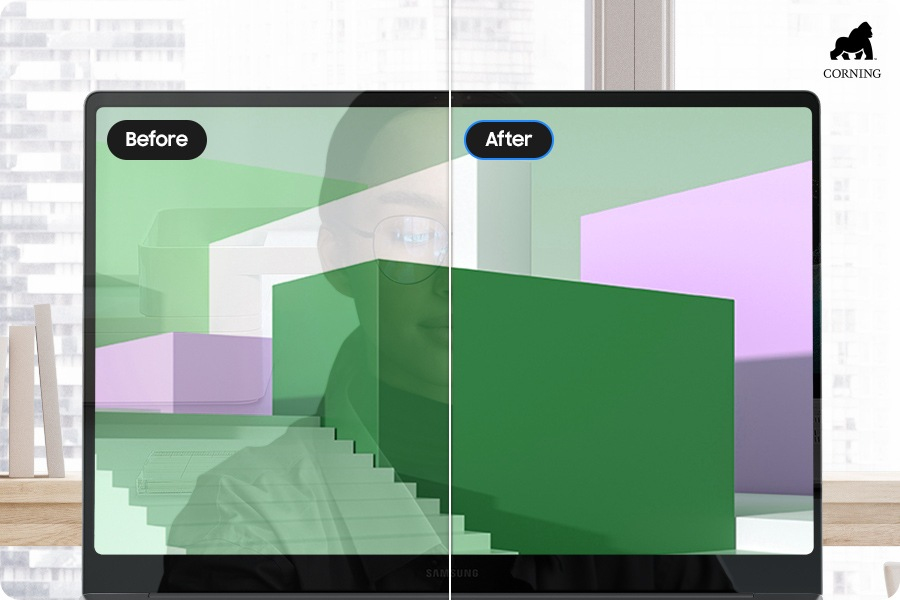 Take in all the details on the anti-reflective screen thanks to Corning® Gorilla® Glass with DX. The surface treated cover glass with less than 2% reflectance decreases the amount of unwanted surface reflection, helping visuals to remain crisp and legible from a variety of angles.
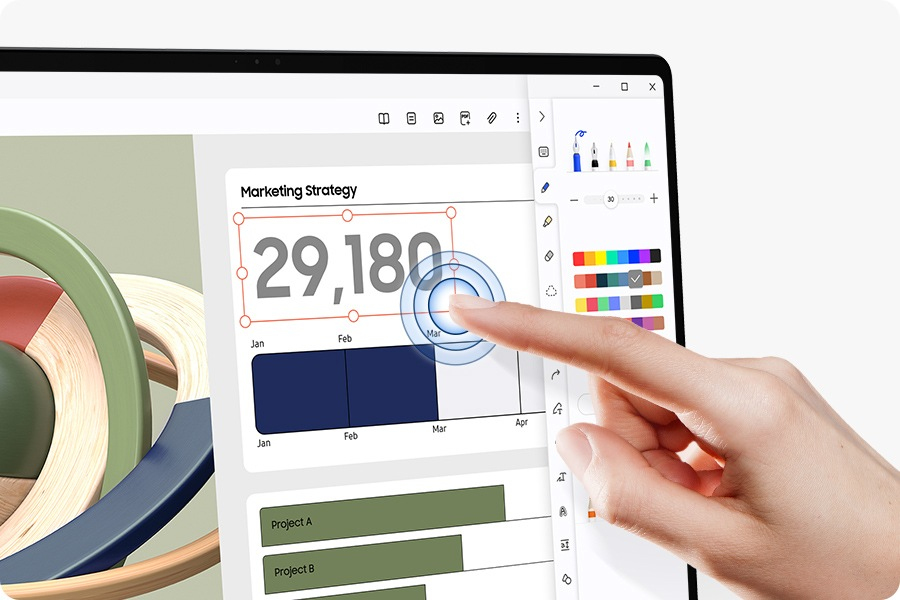 Galaxy Book5 Pro's touchscreen puts control at your fingertips. Navigate through apps and menus, edit content, fine-tune project details and more using intuitive multi-touch gestures that enhance productivity and creativity at every touch.
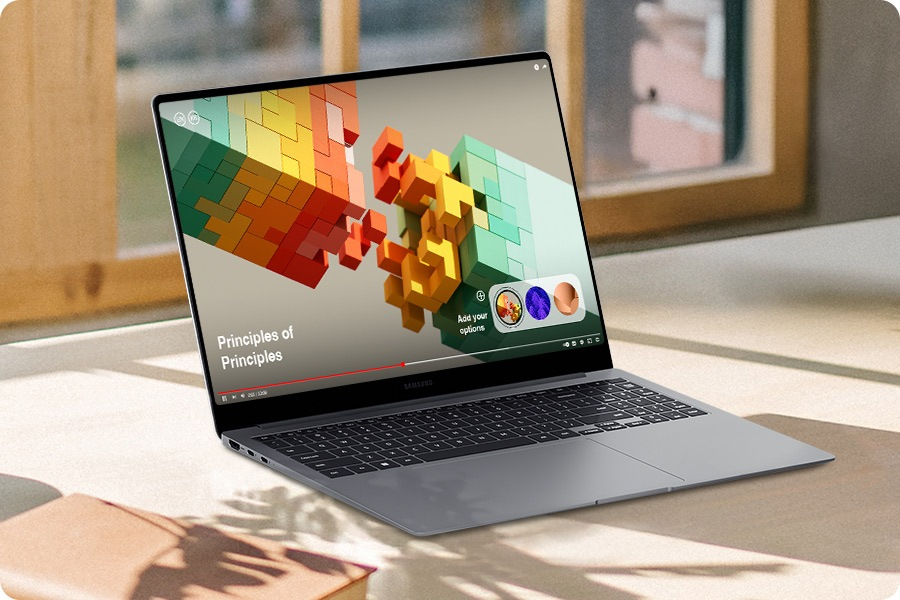 See your content clearly even in the bright outdoors with Vision Booster. An intelligent algorithm uses tone mapping to adjust the contrast and colours depending on the light conditions, so your views stay vivid in various environments.
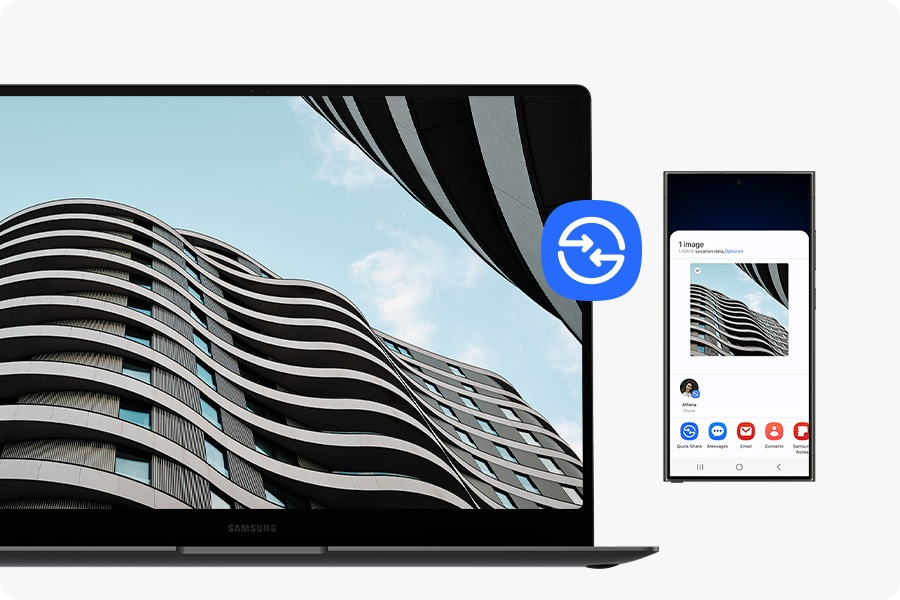 Sharing pics, docs and massive files between Samsung Galaxy devices is a breeze with Quick Share. Connect devices via direct wireless pairing for instant transfers, even if it's something sensitive — the private sharing feature encrypts your data with blockchain technology for safekeeping.
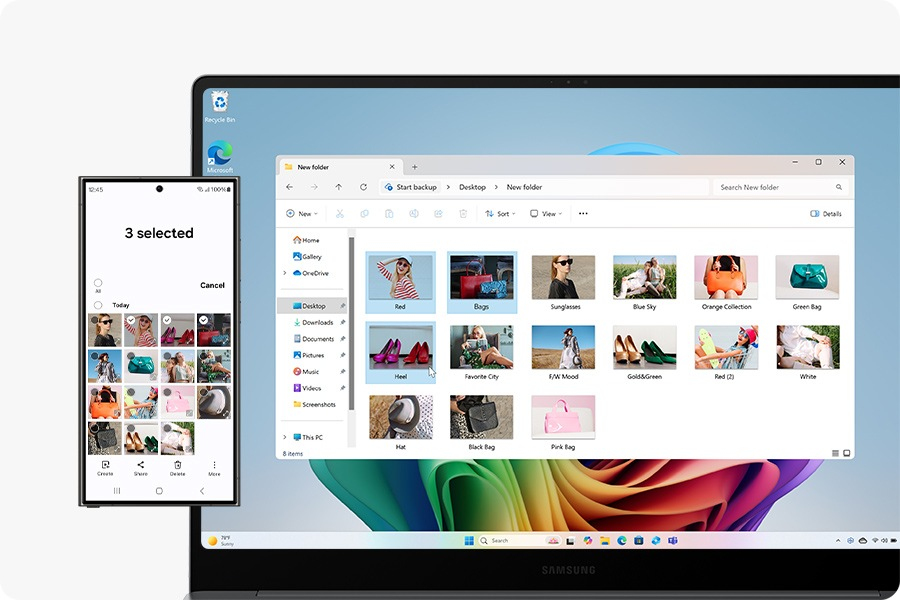 With Multi Control, multitask seamlessly across Samsung devices using your PC's keyboard with a mouse. Navigate through menus, access files and data, copy and paste content easily between your laptop and your smartphone, Galaxy Tab, Samsung TV or Smart monitor.
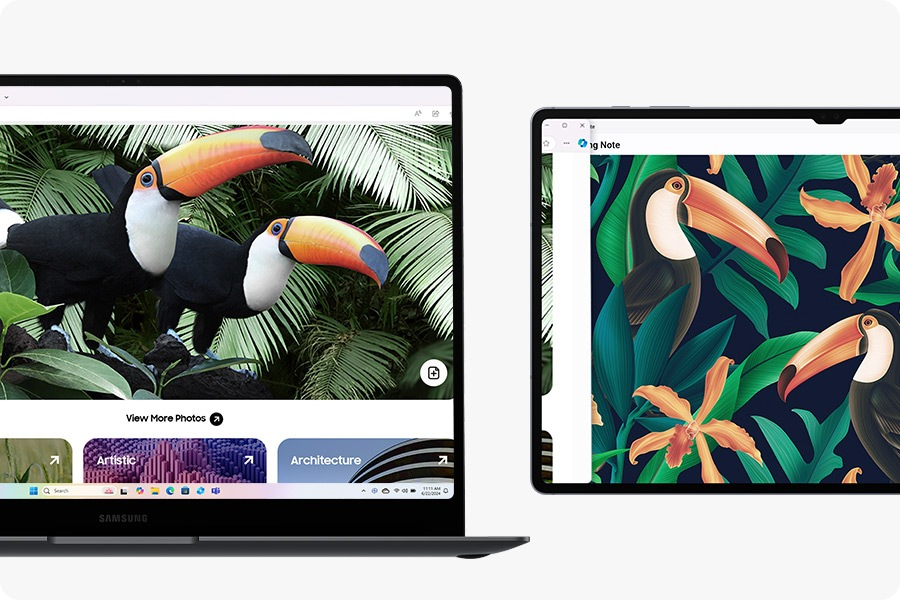 Double your workspace by connecting Galaxy Tab as an additional display to your PC. Link the devices with just a click on your laptop, then take advantage of the extra space on Galaxy Tab with Extension, Duplicate and Rotation modes to rearrange your view.
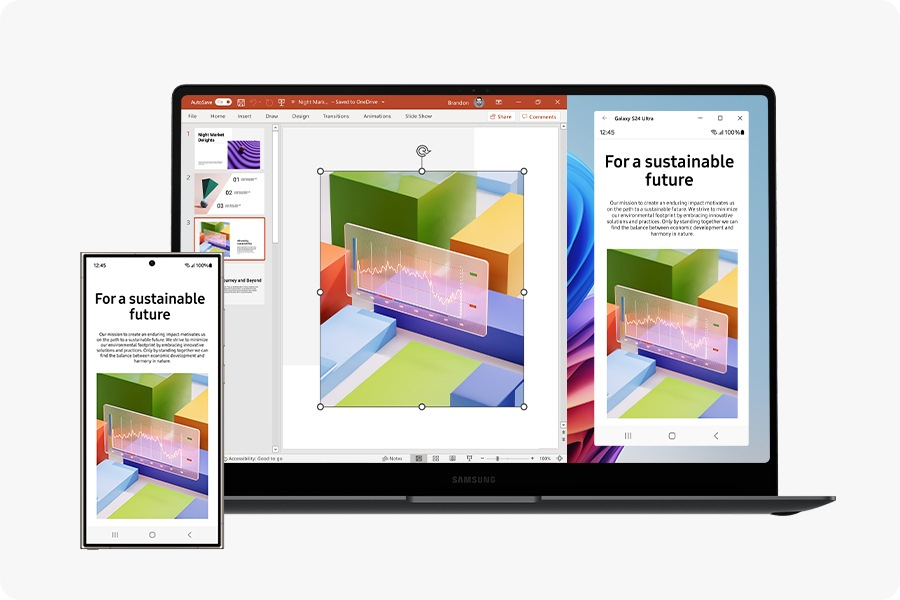 Connect your smartphone to your PC via Phone Link to access recently viewed webpages or launch up to 5 mobile apps right from your laptop. Use smart AI features from your Galaxy smartphone and get an expanded view on the big screen of Galaxy Book5 Pro.
 The repairability index consists of a score out of ten intended to be displayed at the time of purchase to inform consumers of the categories of electrical and electronic products. This score is obtained by dividing an overall score of one hundred points by ten according to five criteria, each scored out of twenty and of equal weight, making it possible to assess the repairability of the products concerned.
 New AI experiences, performance, and battery that lasts.
 A new AI era begins
 DIRECTIVE (EU) 2022/2380 OF THE EUROPEAN PARLIAMENT AND OF THE COUNCIL of 23 November 2022 (Part III)
